Skip to register
Home Brands Solutions Solutions Support Training MCX News & Events Company About Us Contact Us Where to Buy Online Store ↗
Vizrt

Vizrt Enablement Week · Customer Day

Vizrt Live Experience.

Broadcast-quality video, produced in-house.

A hands-on demo day for government, corporate and education technology leaders. Watch the new TriCaster do real work on practical use cases, in a small group, with Vizrt’s experts in the room. Each sector has its own session, focused on its own work.

Date
Wednesday 28 October 2026
Format
Small group, hands-on, one session per sector
Venue
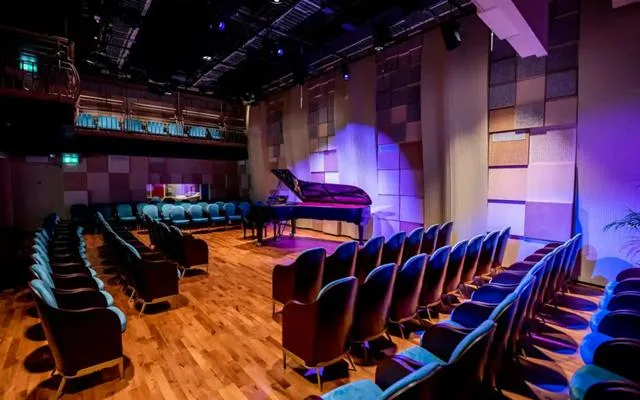
MCX, 3605 The One Tower, Barsha Heights, Dubai
Entry
By invitation only
Sessions

Three sessions. Choose yours.

Each sector has its own session at its own time, with content focused on the work you do. Register for the one closest to your organisation.

Session9:30 am

Government

Public sector

Briefings, sessions and public communication, produced in-house.

  • Meetings and chamber sessions recorded and published automatically
  • Press conferences and official briefings with branded graphics
  • Public information produced without building a studio

ProductsCaptureCast, TriCaster Prizm, Vizion AI/R

Session11:30 am

Corporate

Leadership and internal communication

Townhalls, meetings and events that look produced, run by a small team.

  • Leadership townhalls without a studio
  • Hybrid meetings run from a browser
  • Keynotes, launches and branded events

ProductsTriCaster Vizion AI/R, Prizm, LivePanel Pro

Session3:00 pm

Education

Teaching, capture and campus media

Every lecture captured, every campus event covered.

  • Lecture capture on a timetable, across every room
  • Augmented reality in the classroom
  • Student media and production teaching

ProductsCaptureCast, TriCaster Mini and Prizm, Vizion AI/R

The registration form asks which session you are joining. One form covers all three.

The day

How the day works

A small group, a room laid out for conversation, and the products running live. You see the technology working, then ask about your own situation.

1

See it live

Demonstrations built around the situations technology teams face: a leadership townhall without a studio, a hybrid meeting, lectures captured across a campus, and events produced in-house.

2

Ask the experts

Experts from Vizrt's technical and management teams will be in the room. Questions about how it works, how it scales and what it takes to run go straight to the people who build the products.

3

Talk through your own case

Bring the project you have in mind. Describe it, and see what it would look like with the equipment in front of you, whether that is one room or a whole campus.

4

Leave with next steps

The MediaCast team follows up after the day with the details you asked for, such as a deeper demonstration, a quote or a trial for your team.

The group is small. Save your place now.

Save my place
Applications

What you can see, by sector

Each sector's session shows the products behind its applications and a question to put to the experts on the day.

Government

Government

Meetings and chamber sessions on the record

Council, committee and board sessions are recorded, streamed and published automatically on a timetable, with no dedicated operator. Each session is tagged with keywords, slide content and spoken words, so any point in a long meeting can be found again.

Ask the experts How does it handle a full day of meetings across several rooms?

CaptureCast

Government

Press conferences and official briefings

Branded graphics, several sources and clean switching for announcements and briefings, streamed to more than one platform while recording at the same time.

Ask the experts What does it take to go live to several channels at once?

TriCaster Prizm, CaptureCast

Government

Public information without a studio

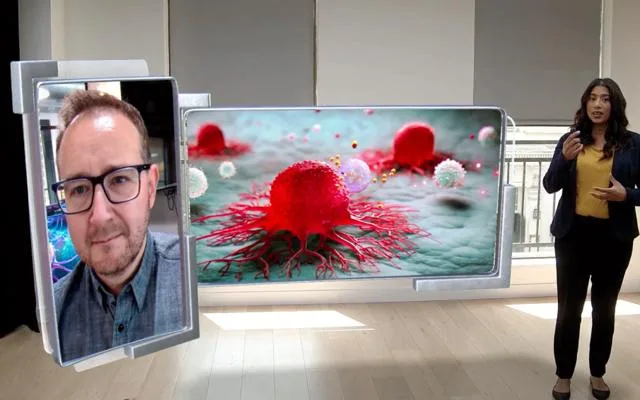
Spokespeople appear in a branded virtual set with live graphics, using AI keying instead of a green screen, so a message can be produced from an ordinary room.

Ask the experts How much training does a communications team need?

TriCaster Vizion AI/R

Briefing and training rooms

Sessions recorded and streamed from several rooms on a schedule, and shared on the platforms staff already use, including Microsoft Teams and Zoom.

ProductsCaptureCast, NDI

Several sites, one production

NDI connects cameras, screens and software across standard networks, so a production can draw on more than one building without new cabling.

ProductsNDI

Production kept in-house

TriCaster Vizion runs on premises or in the cloud, so each organisation chooses where its production lives.

ProductsTriCaster Vizion

Corporate

Leadership townhall without a studio
Corporate

Leadership townhall without a studio

Leadership speaks to staff across offices from an ordinary room. AI keying separates the presenter from the background, so a branded virtual set and live graphics can be added without a green screen or a permanent studio.

Ask the experts What does the setup need in a normal meeting room?

TriCaster Vizion AI/R

Results and briefings with live graphics
Corporate

Results and briefings with live graphics

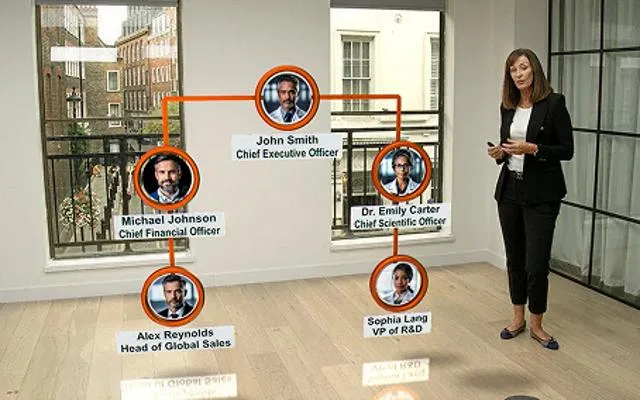
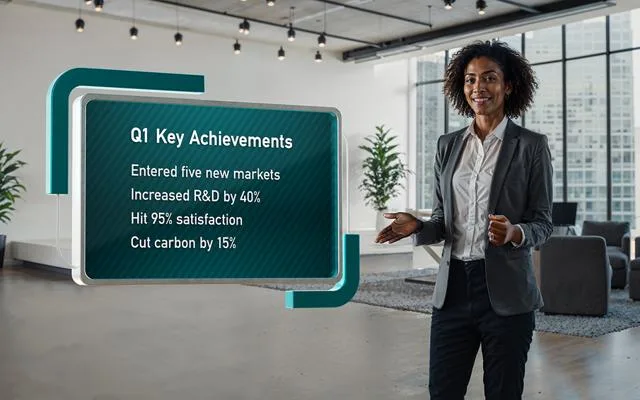
Quarterly results, targets and organisation charts appear as branded graphics beside the presenter, so a briefing looks produced without a production team.

Ask the experts How quickly can a team change the graphics for the next briefing?

TriCaster Prizm, TriCaster Vizion AI/R

Keynotes, launches and branded events
Corporate

Keynotes, launches and branded events

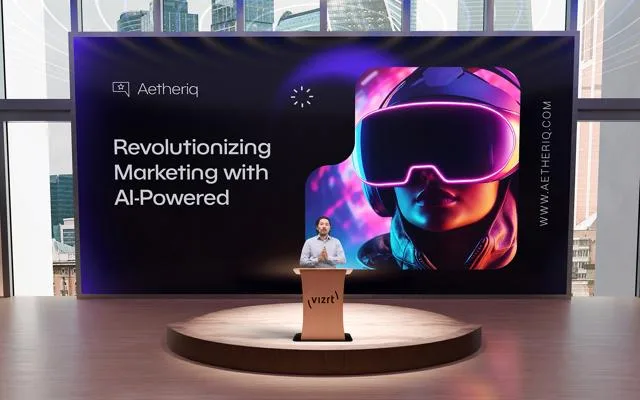
Stage and screen visuals for a product launch, an all-hands or a customer event, with immersive graphics that once needed a specialist studio.

Ask the experts What does it take to move from one room to a full event?

TriCaster Vizion, Vizion AI/R

Hybrid company meetings

Branded graphics and clean switching for audiences in the room and online, with the whole production controlled from a browser.

ProductsTriCaster Prizm or Vizion, LivePanel Pro

Meeting-room and training capture

Sessions recorded and streamed from several rooms on a schedule, and sent to the platforms your staff already use, including Microsoft Teams and Zoom.

ProductsCaptureCast, NDI

The same show, every time

Macros, automation and ready-made workflows let a small team repeat a production reliably, without relying on one expert.

ProductsLivePanel Pro

Education

Lecture capture across every room
Education

Lecture capture across every room

Lectures are recorded, streamed and published automatically on a timetable, with no dedicated operator, to platforms such as Kaltura, Panopto and Opencast. Each session is tagged with keywords, slide content and spoken words, so students can jump to the point they need.

Ask the experts How many rooms can one system cover, and what does the network need?

CaptureCast

Auditoriums and large lecture halls
Education

Auditoriums and large lecture halls

Multi-camera production for large halls and ceremonies, combined with automated capture so the same event serves the room, remote viewers and the archive.

Ask the experts How do you keep a large hall running with a small team?

TriCaster Prizm, CaptureCast

Augmented reality in the classroom
Education

Augmented reality in the classroom

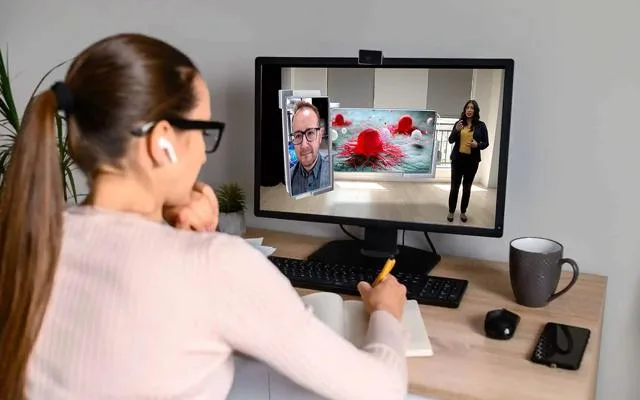
Lecturers teach with 3D models, graphics and virtual environments around them, so complex topics are easier to show. AI keying makes this possible without a green screen or specialist skills.

Ask the experts What does a lecturer need to learn to teach this way?

TriCaster Vizion AI/R

Student media and production teaching
Education

Student media and production teaching

Students learn live production on the same tools used in professional studios, from a first multi-camera show to a full broadcast.

Ask the experts Which TriCaster fits a teaching lab and a student newsroom?

TriCaster Mini, Prizm, NDI

Connected campus

A live lecture in one classroom reaches another, events are broadcast across several locations, and remote students can switch between cameras and screens.

ProductsCaptureCast, TriCaster, NDI

Campus events and live coverage

Graphics, instant replay and slow motion in 10-bit HDR for graduations, open days and campus occasions, on premises or in the cloud.

ProductsTriCaster, 3Play Vivid

Across all three

Video over the network you already have

NDI connects cameras, screens and software over standard networks, and can replace dedicated hardware in many setups. Add a room or a source without a new cable run.

ProductsNDI

Production on premises or in the cloud

TriCaster Vizion and 3Play Vivid run on premises or in the cloud, so teams can produce from a studio or from anywhere.

ProductsTriCaster Vizion, 3Play Vivid

A range that grows with you

Start with TriCaster Mini, move to Prizm for organisations and mid-tier productions, and step up to Vizion for the largest. The skills carry across.

ProductsTriCaster Mini, Prizm, Vizion

See something that fits your organisation? Come and see it live.

Save my place
The products

What you will see

The TriCaster range was refreshed in September 2026. This is what each part does and who it suits.

Live production

TriCaster Mini

The entry point to live production. It runs on several hardware systems, including some laptops.

Suits a single room, a small team, a first step into in-house video.

Live production

TriCaster Prizm

A single, scalable option for organisations and mid-tier productions. New 2RU hardware adds onboard audio and dual power redundancy.

Suits a government or corporate comms team, or a university media unit producing regularly.

Live production

TriCaster Vizion

Built for top-tier teams, on premises or in the cloud, on the same new 2RU hardware with onboard audio and dual power redundancy.

Suits large productions and organisations that need the most capacity.

Subscription add-on

TriCaster Vizion AI/R

Pairs real-time AI keying with augmented reality graphics in one add-on, so virtual sets and immersive graphics do not need specialist skills or a green screen.

Suits townhalls, branded studios and teaching without a studio build.

Control

LivePanel Pro

Browser-based control for mid- and top-tier switchers, covering switching, audio, media, automation and custom macros, with an updated designer and ready-made workflows.

Suits teams who want to run a production from a browser and repeat it reliably.

Replay

3Play Vivid

Instant replay and slow motion in 10-bit HDR, on premises or in the cloud, bringing the best of earlier 3Play systems into one.

Suits live events, graduations and campus occasions that need replay.

Education and meetings

CaptureCast

Records, streams and publishes lectures and meetings automatically on a timetable, with no dedicated operator. Sessions are tagged with keywords, slide content and spoken words, and sent to Kaltura, Panopto, Opencast and more. It also connects to Microsoft Teams and Zoom.

Suits lecture halls, training rooms and any space that is recorded every day.

Across the range

NDI

Video over the network you already have. NDI connects cameras, screens and software into one production, and can replace dedicated hardware in many setups.

Suits teams adding rooms, cameras or sources without a new cable run.
Bring your own project. Save your place now.

Save my place
Prepare

Questions worth bringing

You will get more from the day if you arrive with a real project in mind.

Government
  1. 01Which meetings must be recorded, archived or published?
  2. 02How many rooms or sites need to be linked?
  3. 03Where does production need to stay in-house?
Corporate
  1. 01How many offices, rooms or audiences do you need to reach?
  2. 02What does a townhall or hybrid meeting cost you now?
  3. 03Who would run it, and how much training would they need?
Education
  1. 01How many rooms record every day, and on which platform?
  2. 02Who handles recording and publishing today?
  3. 03Where do campus events need broadcast-quality coverage?
Across all three
  • What equipment do you already own that could stay in use?
  • What does your network allow for video?
  • What would you want to see running before you decide?
People

Who is in the room

Vizrt

Experts from Vizrt's technical and management teams, visiting Dubai for Enablement Week.

MediaCast

The team that supplies, installs and supports Vizrt in the Middle East and Türkiye, on hand for questions about delivery and support.

Your peers

A small group of technology leaders from government, corporate and education organisations, so the conversation stays relevant to your sector.

MCX

The MediaCast experience centre
3605 The One Tower
Barsha Heights, Dubai

Open in Google Maps

Address

MCX, 3605 The One Tower, Barsha Heights, Dubai. Open in Google Maps

Date and time

Wednesday 28 October 2026. Government at 9:30 am, Corporate at 11:30 am and Education at 3:00 pm.

Arrival details

Registered guests receive entrance, parking and arrival instructions, along with the finish time, before the day.

FAQ

Questions

Who is this day for?

Technology leaders and decision-makers in government, corporate and education organisations, such as CTOs, CIOs and heads of technology, media and learning.

Which session should I register for?

The one closest to your organisation: government, corporate or education. Each session is at a different time and focuses on that sector. The registration form asks which one you are joining.

Do I need a technical background?

No. The day is built around practical use cases, and Vizrt's technical experts are there to answer detailed questions.

Can a colleague join me?

Yes. Each person registers on the same form, so we can plan for everyone.

Can I come if I was not invited?

Attendance is by invitation, because the group is small. If you would like to be considered, contact your MediaCast representative.

What if I cannot make it?

Let your MediaCast contact know and we will keep you informed about future sessions.

Register

Reserve your seat

By invitation only. Please register so we can confirm your place.

Wednesday 28 October 2026
MCX, 3605 The One Tower, Barsha Heights, Dubai

Registration takes about a minute. Your details go straight to the MediaCast team, who will confirm by email.

Register for Customer Day

Opens our secure registration form in a new tab.